


Guideline Central (Legacy)
3.532.00 Reviews
App Specs
- Version
- 6.1.1
- Updated On
- License
- Free
- Downloads
- 50,000+
- Developer
- Guideline Central
- Categories
- Medical
- Platform
- Android
Screenshots
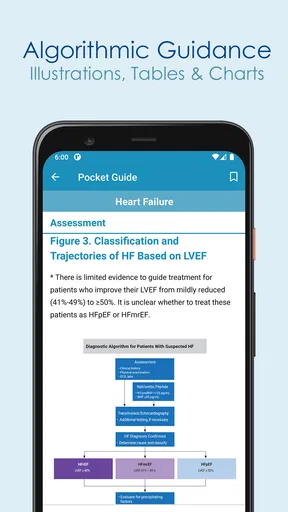
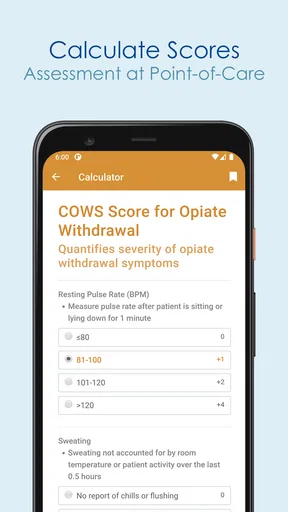
 Analysis by AppCompare
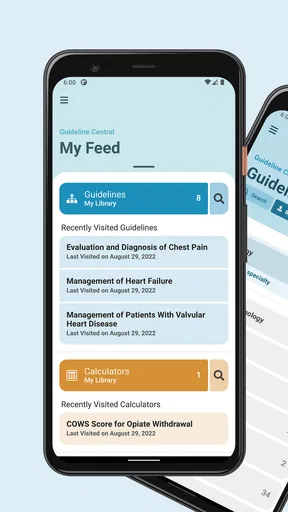
I approached Guideline Central (Legacy) as a practical medical reference rather than an app meant for casual browsing. Its purpose is clear: bring medical guidelines, calculators, and related reference material into a concise format that is quicker to consult than a shelf of books or a long web search. That focus makes it potentially useful in a clinic, classroom, hospital corridor, or study session, but it also means the app rewards users who already know what they are looking for.
The app comes from Guideline Central, a developer focused on turning clinical guidance into more approachable reference tools. It is listed as a free medical app for everyone, with a 3.5 average from roughly four hundred ratings and more than thirty written reviews. It has passed fifty thousand installs, so it is not an obscure experiment, but that audience size also suggests a more specialized role than a general health app.
I would not treat it as a diagnostic service or as a substitute for professional judgment. I see it as a quick-reference layer: something to consult when I need to check a recommendation, review a calculation, or orient myself before opening a more complete source. That distinction is important because concise guidance is convenient precisely where full clinical context can be easy to overlook.
How the free access and paid value fit together
The app itself is free to install, which makes trying it relatively straightforward. There is also a range of in-app purchases from $4.99 to $199.99 per item. For me, that changes the value question considerably. Free access is useful for exploring the interface and seeing whether the available reference material matches my needs, while the higher-priced items require a much more specific reason to spend money.
I would not assume that installing the app gives me unrestricted access to every piece of content. The presence of paid items means I would first identify the exact guideline, calculator, or reference package I need before purchasing anything. That is a better approach than paying broadly and discovering later that the material is aimed at a different specialty or workflow.
The sensible way to judge the cost is therefore practical rather than emotional. If a paid item replaces repeated searches through lengthy documents during regular study or work, it may be worthwhile. If I only need occasional general health information, the purchase range makes the app less attractive than free public resources. The free entry point lowers the risk of testing it, but it does not automatically make every optional purchase good value.
I also appreciate that the app is not presented as a subscription in the facts available here. Still, I would read each purchase screen carefully and confirm what a particular item covers before committing. A medical reference has value only when its scope, specialty, and intended audience fit the task in front of me.
Worth Reading Before You Choose

EA SPORTS FC Mobile 26 Is a Bigger Football Game, but It Takes Time

Flipboard Shows What News Apps Must Do Beyond the Feed

Switching to Android Auto Means Rethinking Your Driving Routine

Google Calendar Makes a Crowded Week Easier to Manage

Ludo King Makes the Most of the Minutes Between Plans

Baby Panda World Brings Quick Play to Modern Phones, but Its Game Library Feels Busy
A compact reference is most useful under time pressure
The strongest idea behind this app is compression. Medical guidelines can be difficult to navigate when I am looking for one threshold, recommendation, or calculation method. A concise reference can reduce the time spent moving between search results, PDF pages, and unrelated explanations. That is especially helpful when the question is narrow and I already understand the surrounding subject.
In a realistic everyday scenario, I might be reviewing a topic before a class or preparing for a discussion at work. Instead of opening several browser tabs, I could use the app to locate the relevant reference and then return to a fuller source for context. The benefit is not that it replaces reading; it is that it gives me a faster starting point and a compact reminder of the key material.
The calculators are another potentially useful part of the package. A calculator can be more convenient than manually rebuilding a formula from notes, particularly when I am checking a value during study. However, I would still verify the inputs and interpret the result carefully. A correctly calculated number can still be clinically unhelpful if the wrong patient details, units, or context are used.
That leads to one of my main tips: I would use a calculator as a second-checking tool, not as an authority. Before accepting an output, I would confirm that I selected the intended calculation, entered compatible values, and understood what the result means. This habit matters more in a medical app than it would in an ordinary productivity calculator.
Where it fits beside ordinary medical resources
Compared with a general web search, Guideline Central can offer a more focused path. Search engines are excellent when I do not know the terminology, but they also return patient pages, outdated summaries, commercial material, and documents with very different levels of detail. A dedicated reference app may feel calmer when I already know the clinical subject and need a compact answer.
Compared with a complete textbook or an official long-form guideline, the opposite trade-off appears. Those sources usually provide more background, exceptions, evidence discussion, and implementation detail. The concise format is faster, but it can make the material easier to skim without fully understanding its limits. I would use this app for orientation and quick checking, then consult the authoritative full document when a decision is complex or consequential.
It also occupies a different space from a general wellness app. Someone looking for exercise reminders, symptom journaling, medication alarms, or lifestyle coaching is unlikely to find this the right tool. Its value is concentrated in reference work rather than personal health tracking.
Three workflows that make the app more useful
My first recommended workflow is the “locate, verify, expand” method. I would locate the short reference inside the app, verify that it addresses the exact condition or calculation I have in mind, and then expand outward to a complete guideline when the decision depends on nuance. This prevents the convenience of a summary from becoming a reason to ignore supporting detail.
The second is to use it before, rather than during, a difficult conversation. A student could review terminology and key recommendations before meeting an instructor. A professional could use it to organize questions before consulting a colleague. Preparing in advance makes the app more valuable because it turns a quick-reference tool into a way of identifying what still needs clarification.
The third is to treat paid content as a targeted purchase. I would not buy an item simply because its title sounds relevant. I would first ask whether I expect to return to it, whether the concise format suits my work, and whether I need a complete guideline instead. This is particularly important because the available purchase range reaches from a modest amount to a substantially larger one.
That last trade-off is easy to miss. A low-cost reference may be convenient for a single topic, while a high-cost item deserves the same scrutiny I would give any professional resource. The app can be inexpensive to try and still require careful spending decisions.
Limitations I would keep in mind
The “Legacy” label sets an expectation that this is an older product line or established version rather than a brand-new medical platform. The current version is 6.1.1, and the app has been available since May 31, 2013. Longevity can be reassuring, but in medical reference work it also makes freshness and update habits important questions for the user to consider while reading any guidance.
I would pay close attention to the date and scope of whatever material I am consulting, especially when recommendations can change. A concise display may not make it obvious how much historical context sits behind a recommendation. For a routine study check that may be acceptable; for patient care or policy decisions, I would verify the current official source as well.
The app may also feel too narrow for beginners. If I do not understand the terminology, a short reference can leave me with more questions than answers. In that situation, a trusted educational source with explanations and examples would be a better first step. Guideline Central becomes more effective once I have enough background to recognize the relevant terms and judge whether a result makes sense.
Another friction point is the balance between convenience and completeness. A quick-reference format saves time, but it can encourage a “find one line and move on” habit. My practical safeguard would be to read the surrounding section, check any qualifiers, and note whether the recommendation applies to the situation I am evaluating. That takes away some speed, but it protects against overconfident use.
I would also avoid using the app as the only source for urgent decisions. Its role is best understood as supportive reference material. When a situation is unfamiliar, high-risk, or outside my training, direct professional advice and authoritative documentation matter more than the convenience of any mobile summary.
Who is likely to get the most from it?
Medical students, trainees, educators, and healthcare professionals who regularly review guideline-based material are the clearest audience. They are more likely to appreciate a concise layout because they already know how to place a recommendation inside a wider clinical framework. For these users, the app can act as a portable revision aid and a way to prepare for deeper reading.
It may also suit someone who repeatedly works with a particular set of medical topics and wants a quicker route to familiar references. The value increases with repetition: the more often I return to the same type of guidance or calculation, the more useful a dedicated shortcut becomes.
Patients and caregivers should approach it differently. It may help them understand terminology before speaking with a clinician, but I would not use it to self-diagnose, change treatment, or interpret a calculation without professional guidance. Medical summaries are not automatically patient instructions, even when the app is available to everyone.
I would skip it if my main goal is general health advice, symptom checking, appointment management, or medication reminders. I would also skip paid content if I only need a one-time answer that can be responsibly obtained from a current, authoritative free source. The app is most convincing when it solves a repeated reference problem, not when it is asked to be an all-purpose health companion.
My buying decision after using the reference approach
My verdict is cautious but positive for the right audience. The free installation makes Guideline Central (Legacy) worth exploring for people who genuinely need medical guidelines and calculators in a compact format. I like the idea of using it as a first stop before checking a full guideline, and I find the targeted workflow more useful than treating it as a complete medical library.
I would not make a paid purchase without first identifying the exact item and estimating how often I will use it. The $4.99 entry point may be reasonable for a focused need, while purchases reaching $199.99 require clear professional or educational value. That is not a criticism of the app by itself; it is simply the right standard for specialized medical content.
The app’s 5.0 minimum operating-system requirement makes it accessible to many older devices, and its everyone age rating removes an obvious barrier to installation. Even so, accessibility should not be confused with suitability. The intended benefit comes from knowing how to read guidelines critically and when to move beyond a summary.
My recommendation is to try the free app, test it against one real reference task, and only then consider an in-app purchase. If it shortens a recurring study or clinical-reference workflow without tempting you to skip necessary context, it can earn a place among your tools. If you need detailed explanations, current full-length evidence, or personal health guidance, I would choose a more comprehensive source instead.
In short, this is a focused medical reference app rather than a universal solution. Its best quality is the ability to make guideline-oriented checking feel more manageable; its main risk is making complex information look simpler than it really is. Used as a starting point, a study aid, or a carefully chosen reference companion, it offers credible practical value. Used as the final word on a medical decision, it is the wrong tool.
Pros
- Quick access to clinical guidelines from a focused medical reference library.
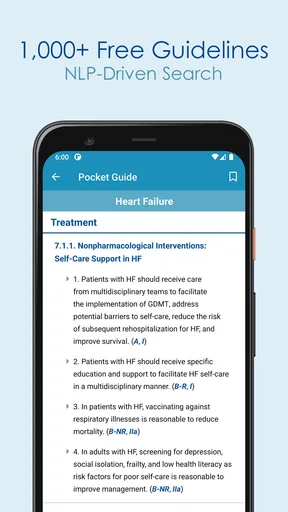
- Search tools help locate relevant guideline topics with minimal navigation.
- Useful for clinicians needing point-of-care reference material.
- Content is organized by specialty and healthcare topic.
- Compact app can be more convenient than carrying printed references.
Cons
- Some guideline content may require a paid subscription or institutional access.
- The legacy interface feels dated compared with newer medical reference apps.
- Coverage may vary by specialty
- region
- and available guideline publisher.
- Users should verify updates
- as older entries may not reflect current recommendations.
- Not intended to replace clinical judgment
- local protocols
- or professional training.
FAQs for Guideline Central (Legacy)
What is Guideline Central (Legacy) used for?
Guideline Central (Legacy) is designed to help healthcare professionals access clinical practice guidelines and related medical reference content in a mobile-friendly format. It can be useful when reviewing recommendations, screening information, treatment guidance, and other evidence-based resources. The app is intended as a reference tool and should support—not replace—professional judgment, patient-specific assessment, or consultation of the complete original guideline.
Is Guideline Central (Legacy) free to download and use?
The application may be available to download without an upfront charge, but access to all guideline content can depend on the specific resource, professional organization, subscription status, or account permissions. Some materials may be freely viewable while others can require payment or an eligible membership. Before relying on the app, check the current store listing and in-app access terms, since availability and pricing may change over time.
Can I rely on the app for making a diagnosis or treatment decision?
No. Guideline Central (Legacy) should be treated as an educational and clinical reference rather than an independent diagnostic or prescribing system. Guidelines provide general recommendations, but individual decisions depend on a patient’s history, examination, test results, contraindications, local protocols, and clinician expertise. Always verify important information against the current official guideline and seek qualified medical advice in urgent or uncertain situations.
Does the app work offline, and what happens to saved guideline content?
Offline functionality can vary according to the version of the legacy app and the particular guideline or reference resource. Some content may be available for later viewing after it has been downloaded, while other sections may require an internet connection, account verification, or updated authorization. Users should test access before entering a setting with limited connectivity and should not assume that offline copies contain the latest revisions.
Is Guideline Central (Legacy) still being updated and supported?
Because this is identified as a legacy application, users should confirm its current support status before downloading it. A legacy version may receive fewer updates, have limited compatibility with newer Android or iOS releases, or be replaced by a newer Guideline Central product. Check the official developer page, recent release notes, privacy information, and guideline publication dates to determine whether the app remains appropriate for your needs.


